Summary
Most CMMS projects are judged on the software. They succeed or fail on the data.
I've spent 25+ years in facility management, on both sides of the table. I've led CMMS implementations, and I've been the person who had to live with the system after everyone else went home. The pattern I've seen most often is simple. The project team spends months choosing software and a few weeks loading data. Then the organization spends years working around what got loaded.
This paper is about the part of a CMMS project that owners control most and plan least: getting asset data ready before go-live. It's written for facility leaders in hospitals, senior living, K-12 districts, colleges and universities, cities and counties, and federal facilities. It should also be useful to the implementation teams who support them.
It covers six steps:
- Decide what counts as an asset.
- Build the hierarchy and naming standard.
- Write the data dictionary.
- Collect and verify in the field.
- Migrate and reconcile every source.
- Assign ownership so the data stays clean.
None of this depends on which software you buy. Every system on the market needs the same thing from you: a clean, structured, owned list of what you maintain and where it is.
Why data decides the outcome
A CMMS doesn't create knowledge about your buildings. It stores what you give it and makes it faster to use. Give it a clean asset register, and work orders, PM schedules, cost history and capital plans all get better. Give it a messy one, and every one of those inherits the mess.
The cost of bad facility data has been measured. In a 2004 study, the National Institute of Standards and Technology estimated that poor information sharing across the capital facilities industry cost $15.8 billion in 2002 alone. Two-thirds of that fell on owners and operators, and most of it landed during operations and maintenance, long after construction was done. NIST called the figure conservative. [1]
The problem isn't unique to buildings. Gartner estimates that poor data quality costs organizations an average of $12.9 million a year across all kinds of data. [2] Facility data has a particular disadvantage, though. It describes physical things that change every week, and it's often collected once and never checked again.
Here's how that shows up after go-live.
- Techs can't find the asset on their phone, so they write the work order against the building or a generic "misc" record.
- PMs get scheduled on equipment that was removed years ago, so completion rates fall and nobody trusts the schedule.
- The same air handler exists three times under three names, so its repair history is split and no one sees the pattern.
- Capital planning pulls from a condition assessment that doesn't match the CMMS, so funding requests rest on age instead of performance.
When I served on a four-person corporate team supporting 130 hospitals, we brought sites onto a standard system one at a time. The sites that loaded their old spreadsheets as they were spent their first year chasing duplicate records and PMs on equipment that was long gone. The sites that walked their buildings first had reports they could trust within a few months. Same software, same training, very different results.
Each of these is cheaper to prevent than to fix. Before go-live, a data problem is a spreadsheet edit. After go-live, it's a change to live records with years of history attached, made by people who are also trying to keep the buildings running.
What ready means
"Our data is ready" is one of the most common sentences in a CMMS project and one of the least tested. I use five tests. Asset data is ready when it is:
- Complete: every asset in scope is in the register, and nothing out of scope is.
- Consistent: the same kind of asset is named, classified and described the same way at every site.
- Located: every asset sits in a real place a tech can walk to, down to the room or area.
- Structured: assets roll up through a hierarchy that matches how the buildings run, so you can report by classification, system, building and site.
- Owned: a named person or role is responsible for keeping each part of the data current after go-live.
In my experience, most organizations pass one or two of these. Passing all five before go-live is the goal of everything that follows.
Step 1: Decide what counts as an asset
The first decision isn't technical. It's what you're going to track.
Track too little, and the CMMS can't support your PM program, your compliance records or your capital plan. Track too much, and you'll spend the budget tagging ceiling fans and door closers that nobody will ever schedule work on. Both mistakes are common, and the second one is harder to undo, because once something is in the register, someone has to keep it current.
I use four questions to decide whether something belongs in the register as its own asset.
- Does it get scheduled maintenance? If there's a PM, an inspection or a test, it needs a record.
- Does a regulator, accreditor or funder expect to see it? If someone can ask for its history, it needs a record.
- Would its failure hurt safety, operations or the budget? Critical equipment needs its own history even with no PM.
- Would you want its cost history for a capital decision? If you'll ever argue for replacing it, you'll want the record.
If the answer to all four is no, it probably belongs as a component of a parent asset, or not in the register at all. A small exhaust fan with no PM can live as part of the air handling system. A fire pump never can.
The second question carries the most weight in regulated settings. In hospitals, federal rules require that facilities, supplies and equipment be maintained to ensure an acceptable level of safety and quality. [3] CMS guidance on hospital equipment maintenance is direct about the register: all hospital facility and medical equipment, leased or owned, is expected to be listed in an inventory that includes a record of maintenance activities. [4] The Joint Commission's 2026 Physical Environment standards require hospitals to keep essential equipment in safe operating condition and to document its inspection, testing and maintenance at the frequencies the manufacturer or an alternative equipment maintenance program sets. [5] The Joint Commission's Survey Process Guide shows what surveyors look for under PE.04.01.01 EP 2: a written inventory of all medical equipment for deemed-status hospitals, with high-risk equipment identified; an inventory that includes the activities and frequencies for maintaining, inspecting and testing all medical equipment on it; and high-risk, infection control and non-high-risk utility components on the inventory, with completion dates and results documented. Required activities on high-risk medical equipment, and on high-risk and infection control utility components, must have a 100% completion rate. [6] Long-term care facilities must keep mechanical, electrical and patient care equipment in safe operating condition. [7] You can't show that you meet any of those requirements without a register that covers the equipment in question.
Public owners face a different kind of pressure. In its 2020 national survey, GAO estimated that 41 percent of school districts needed to update or replace HVAC systems in at least half of their schools, about 36,000 schools nationwide. [8] When a district asks a board or a bond committee to fund that work, the asset register is the evidence. Federal agencies have reported their real property to a governmentwide inventory since 2004, under Executive Order 13327 [9], and a building level inventory is only as good as the equipment data underneath it.
Write the answer down as a scope rule before anyone goes into the field. "We track every piece of equipment with a PM, every life safety and utility component, and every asset over a set replacement value" is a rule a field team can apply. "We track the important stuff" isn't.
Step 2: Build the hierarchy and naming standard
The hierarchy is how your CMMS understands where things are and what they belong to. Get it right, and you can report by site, building, classification, system and asset without thinking about it. Get it wrong, and every report becomes a manual exercise.
Three rules matter more than the rest.
Separate location from asset. A location is a place: a site, a building, a floor, a room. An asset is a thing in that place that gets maintained. When equipment is replaced, the location stays and the asset changes. If your system treats "Room 214" and "the unit in Room 214" as the same record, you'll lose the history of the room every time you replace the unit, or keep the history of a unit that left years ago.
Design around how the building runs. Group assets by the system they serve, not by the department that pays for them. A chiller, its pumps, its cooling tower and its controls belong together, because they fail together and get worked on together. The org chart changes far more often than the mechanical plant does. Above the system, give every asset a classification and subclassification, such as HVAC: air handling units, so one report can pull every air handler at every site.
Pick one classification and stick to it. You don't need to invent one. ASTM E1557, known as UNIFORMAT II, is a published classification of building elements and related sitework [10], and it's familiar to the estimators and assessment teams you'll be trading data with. Using a standard classification makes it far easier to line up your CMMS with condition assessments, capital plans and construction handover data later.
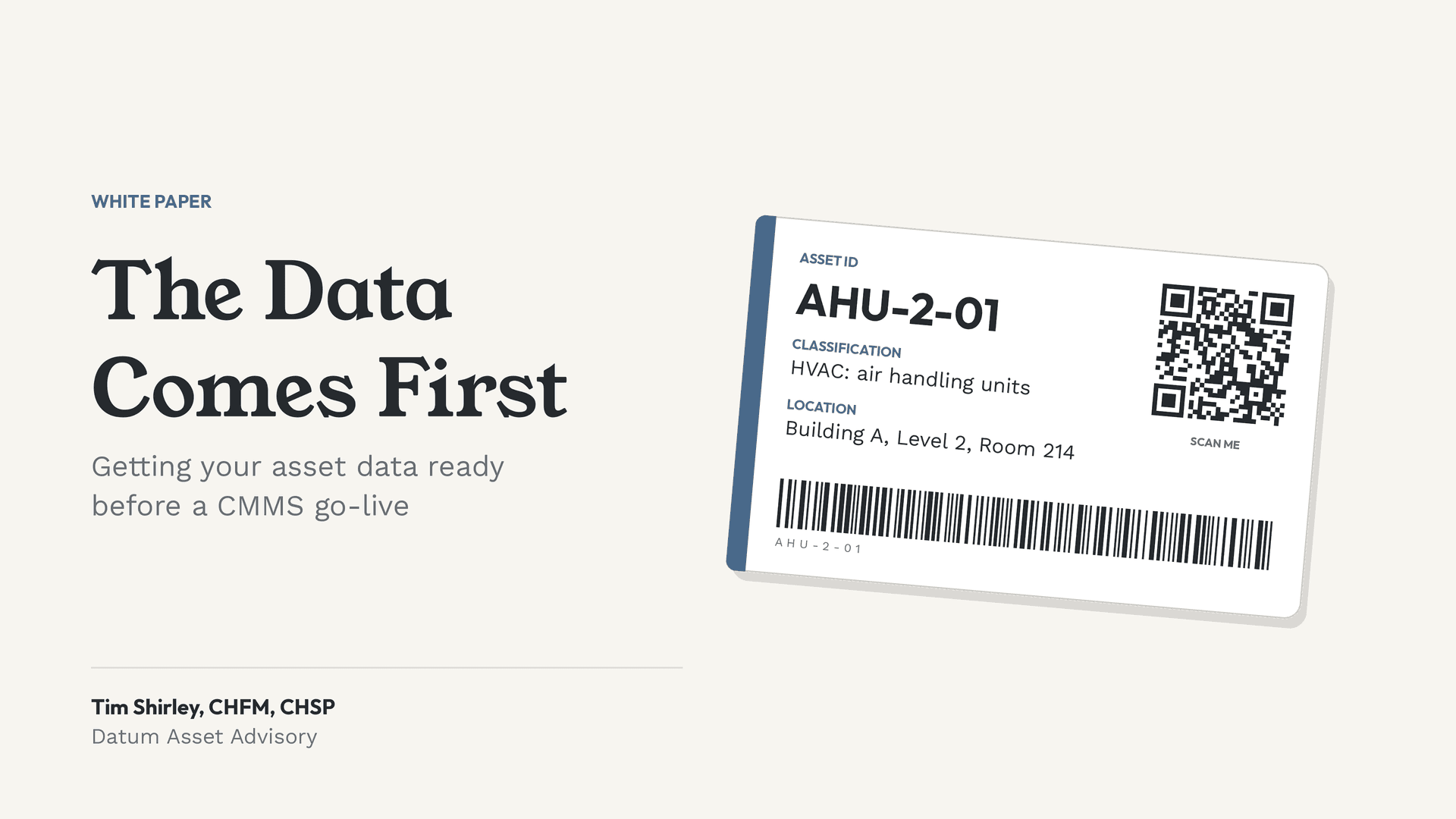
Then write the naming rule. A good asset name tells a tech what it is and where it is without opening the record. A pattern like site, building, system type and sequence number works in most portfolios. What matters is that it's written down, that it's the same at every site, and that it's set before anyone hangs a tag.
Across a portfolio of 13 large facilities, I saw every site name its equipment its own way. The same kind of air handler was AHU-1 at one site, AH01 at another, and a plain description at a third. Until there was one rule, nobody could compare sites, and every portfolio report had to be stitched together by hand.
Step 3: Write the data dictionary
A data dictionary is a short document that says what every field means and which ones are required. It sounds like paperwork. It's the thing that keeps five people at five sites from filling in the same field five different ways.
At minimum, it should cover these fields for every asset:
- Asset ID and name: follows the naming rule from Step 2.
- Location: the room or area a tech can walk to.
- Parent system: ties the asset into the hierarchy.
- Classification: the standard class, so reports and condition data line up.
- Manufacturer, model, serial: needed for parts, warranties and recalls.
- Install date: drives life cycle and capital planning.
- Criticality: sets PM priority and response time.
- Status: active, inactive or archived, so dead records stop collecting PMs but keep their history.
- Photo: one of the asset, so anyone can confirm it's the right one, and one of the data plate, so the model, serial number and ratings can be read right from the record in the CMMS.
Then add attribute templates for each asset class. An air handler needs airflow and motor horsepower. A generator needs kilowatt rating and fuel type. A fire damper needs its rating and access location. Keep each template short. Every field you add is a field someone has to collect now and maintain forever.
The dictionary should also define picklists, such as condition ratings, failure codes and close codes, so the data can be counted later. Free text feels flexible on day one and becomes unreadable by month six. The ISO 55000 family of asset management standards is a useful reference for shared vocabulary, especially when facilities, finance and IT need to agree on what terms like asset, life cycle and risk mean. [11]
Step 4: Collect and verify in the field
There's no substitute for walking the buildings. Drawings, old spreadsheets and the previous system are all useful starting points, and all of them are wrong in places. The only way to know what's installed is to go look.
A good field collection effort does four things at each asset: it confirms the asset exists, records its nameplate data, hangs a durable tag tied to the asset ID, and takes a photo of the asset and its nameplate. It records the asset against the location hierarchy from Step 2 and the fields from Step 3, using the same picklists.
Three practices make the difference between a register you can trust and one that just looks finished.
- Pilot one building first. Collect it completely, load it into a test environment, and have the techs who work there try to use it. Fix the dictionary and naming rules before you scale.
- Check a sample. After each building, pick a random set of records and verify them on site. If the error rate is high, stop and retrain before moving on.
- Use the people who know the building. A senior tech walking with the collection team will find the equipment above the ceiling and behind the wall that no drawing shows.
Owners can do this work with their own staff, with an outside field data team, or with a mix. Whoever does it, the owner should set the standards and accept the results. A collection team working without your scope rule, naming rule and dictionary will hand you a well tagged version of someone else's idea of your buildings.
On one hospital walkdown, the team found fire dampers above the ceilings that weren't in any record. They had never been on an inspection schedule, because as far as the system knew, they didn't exist. Every one of them was a survey finding waiting to happen.
Step 5: Migrate and reconcile every source
Most organizations aren't starting from nothing. Asset data already lives in an old CMMS, spreadsheets, condition assessments, construction closeout binders, vendor service reports and people's heads. Migration is the work of bringing those sources together into one register without carrying their problems along.
Treat it as a pipeline with gates.
- Inventory the sources. List every place asset data lives today, who owns it, and how old it is.
- Map each source to the dictionary. Decide which fields come from which source, and which source wins when two disagree.
- Clean before loading. Merge duplicates, archive assets that no longer exist so their history can still be pulled, standardize names and classifications, and fill required fields.
- Reconcile against the field. Field collection from Step 4 is the tiebreaker. When a spreadsheet says one thing and the walkdown says another, the walkdown wins.
- Test load and review. Load into a test environment, run the reports you'll actually use, and have techs look up assets they know.
- Accept or send back. Set acceptance criteria in advance, such as no missing required fields and no duplicate IDs, and don't load to production until the data meets them.
Two sources deserve special attention. Facility condition assessments are often built by a different team, at a different time, with different names. If the condition data and the CMMS don't share asset IDs, your capital plan and your maintenance program will run on two different lists. And for new construction and major renovations, ask for handover data in a structured format. COBie, the Construction to Operations Building information exchange maintained by the National Institute of Building Sciences, is a published specification for exactly this: delivering the data needed to maintain a facility in a standard digital format at handover. [12] Writing it into design and construction contracts is far cheaper than collecting the same data after occupancy.
PM history deserves a decision too. Bringing years of closed work orders into a new system can be valuable or it can be noise. Migrate history for critical and regulated assets, where you need to show a record, and consider archiving the rest in a form you can still search.
Step 6: Assign ownership so the data stays clean
The day after go-live, your asset register starts drifting away from your buildings. Equipment is installed and never added. Equipment is removed and never retired. A contractor creates a second record for the same pump. Within a few years the reports stop being trusted, and someone suggests buying a new system.
The fix is governance, and it can be simple. Before go-live, put a name or a role next to each of these:
- Adding assets: who creates the record for new equipment, from what document, and how fast.
- Changing standards: who approves changes to naming, hierarchy, classifications and picklists.
- Retiring assets: who marks equipment as removed, so PMs stop and history is kept.
- Checking quality: who reviews the data, how often, and what they look at.
Then build data updates into the work people already do. Capital projects should not close until new assets are in the CMMS. Work orders for replacements should prompt a status change on the old asset. A short quarterly data review, with a handful of standard reports, will catch most drift before it spreads.
Ownership doesn't require a new hire. It requires that keeping the data current is someone's actual job, written into their role, and not a favor someone does when they have time.
What changes by market
The six steps hold everywhere. What drives the work, and where it tends to go wrong, differs by setting.
Hospitals and health systems
- What drives the data: federal equipment maintenance rules, accreditation surveys, alternative equipment maintenance programs.
- Where it goes wrong: utility and life safety components missing from the inventory, so the record can't support a survey.
Senior living and long-term care
- What drives the data: keeping mechanical, electrical and patient care equipment in safe operating condition, with lean staff.
- Where it goes wrong: small teams, so data entry falls behind and the register drifts fastest.
K-12 districts
- What drives the data: board and bond funding cases, summer work windows.
- Where it goes wrong: work orders written against the building, not the asset, so repair history can't support a capital request.
Colleges and universities
- What drives the data: large, mixed portfolios with research, housing and athletics.
- Where it goes wrong: departments keeping their own lists, so the same building has several registers.
Cities, counties and public agencies
- What drives the data: many asset types across many departments, public accountability.
- Where it goes wrong: facilities, parks and public works each running their own standards.
Federal facilities
- What drives the data: governmentwide real property reporting and condition data.
- Where it goes wrong: building level data that doesn't match the equipment data underneath it.
In hospitals and rehab, the register is what you open when a surveyor asks for a generator test record, so a missing asset becomes a finding fast. In senior living, I've seen a single maintenance director cover an entire community, so any data step that takes extra time simply doesn't get done. Design the process for the smallest team you have.
When to start
Data readiness takes longer than most project plans allow. The software can be configured in a few months. A clean, verified register for a multi-site portfolio usually takes longer, and it can't be compressed by adding consultants in the last month.
Here's the sequence I'd plan around, counting back from go-live.
- Six months out: set the scope rule, hierarchy, naming rule and data dictionary. Inventory every data source.
- Five to three months out: pilot one building, fix the standards, then collect and verify the rest of the portfolio.
- Three to one month out: clean, map and reconcile sources. Run test loads and review them with the techs.
- The last month: final load against acceptance criteria, ownership roles in place, and training on how to keep the data current.
- The first 90 days after: weekly spot checks of new and changed records, and a review of what the techs couldn't find.
The exact months depend on the size of the portfolio and the state of the starting data. The order doesn't change. Standards before collection, collection before migration, and ownership before go-live.
The point
A new CMMS will not clean your data. It will show you, faster and more clearly than the old one did, exactly what you put into it.
The organizations that get real value from their system are rarely the ones that bought the best software. They're the ones that decided what to track, agreed what the fields mean, walked their buildings, reconciled their sources, and made someone responsible for keeping it all true. That work isn't glamorous. It's also the part of the project you control completely.
If you're planning a CMMS selection or replacement, start the data work now, before the first demo. Every decision in this paper makes the selection better too, because you'll know what you actually need the system to hold.
What's the first thing you'd check before loading asset data into a new system? I'd like to hear how others approach it.
The one-page checklist at the end of this paper is a quick way to see where you stand.
One-page checklist: Is your asset data ready?
Scope
Structure
Dictionary
Field data
Migration
Ownership
Fewer than 15 checked: plan more time for data before go-live.
References
- National Institute of Standards and Technology. Cost Analysis of Inadequate Interoperability in the U.S. Capital Facilities Industry, NIST GCR 04-867. August 2004.
- Gartner. How to Improve Your Data Quality. July 14, 2021.
- U.S. Code of Federal Regulations. 42 CFR 482.41, Condition of participation: Physical environment, paragraph (d)(2). Accessed November 5, 2026.
- Centers for Medicare and Medicaid Services. Hospital Equipment Maintenance Requirements, S&C 14-07-Hospital. December 20, 2013.
- The Joint Commission. Prepublication Requirements: Requirement Revisions Related to NFPA Codes and CMS CoPs, Hospital Accreditation Program, standard PE.04.01.01, EP 2. Issued January 30, 2026, effective March 1, 2026.
- The Joint Commission. Hospital Accreditation Survey Process Guide, Hospital Physical Environment Document List & Review Tool, pages 532 to 534. 2026 (tool revised effective April 20, 2024). Provided by the author.
- U.S. Code of Federal Regulations. 42 CFR 483.90, Physical environment, paragraph (d)(2). Accessed November 5, 2026.
- U.S. Government Accountability Office. K-12 Education: School Districts Frequently Identified Multiple Building Systems Needing Updates or Replacement, GAO-20-494. June 4, 2020.
- Executive Office of the President. Executive Order 13327, Federal Real Property Asset Management. Signed February 4, 2004; Federal Register, February 6, 2004. Sections 3(d) and 5(c).
- ASTM International. ASTM E1557-09(2024), Standard Classification for Building Elements and Related Sitework: UNIFORMAT II. Reapproved 2024.
- International Organization for Standardization. ISO 55000:2024, Asset management: Vocabulary, overview and principles. 2024.
- National Institute of Building Sciences. Construction to Operations Building information exchange (COBie) V3. Accessed November 5, 2026.